Thoughtful software · Canada
Meet Flor practice management
Practice software for therapy teams. Explore Flor’s product direction, from the first enquiry to the end of a clinic day.
Thursday · September 17
Appointments
A shared view of practitioners, rooms and recurring care.
Client workspace
Clients & guardians
Review a fictional client’s contacts, permissions and intake progress.
Guardian: Sample contact A · Active
- Intake
- Sample form completed
- Consent
- Review signed consent and version history
- Next appointment
- Speech-language follow-up · 09:00
- Portal access
- Guardian relationship and grant reviewed
Documentation
Notes & care plans
Follow documentation from a draft through signing and amendments.
Progress note · Sample client A
Session focus: fictional communication activity.
Observation: sample entry for demonstration.
Next step: review the fictional goal before the next visit.
Goal: participate in a sample turn-taking activity.
Baseline recorded → Goal reviewed → Progress documentedRead-only sample. No clinical notes are saved or signed here.
Billing & payments · CAD
From visit to invoice
Review charges, payment status and a sample receipt in one place.
Sample client A · Follow-up visit
- Illustrative charge
- $150.00 CAD
- Sample payment
- $100.00 CAD
- Balance
- $50.00 CAD
DEMO receipt: $100.00 CAD applied to DEMO-001. No money has moved.
Illustrative amounts, not Flor pricing. Checkout and refunds are under testing; this public demo cannot take payments.
Forms & portal
A clear intake handoff
Track a form, its recipient and the next staff review step.
- AssignSample intake form → Sample guardian A
- CompleteFictional response received
- ReviewClinic team checks the response and consent
Signed consent
Review the form version, signer relationship and recorded agreement before care begins.
This walkthrough accepts no form submissions or personal information.
Clinic inbox
Follow the conversation
A fictional administrative conversation with an authorised recipient.
Open conversationRead-only illustration. No message is sent; notification delivery is a separate release check.
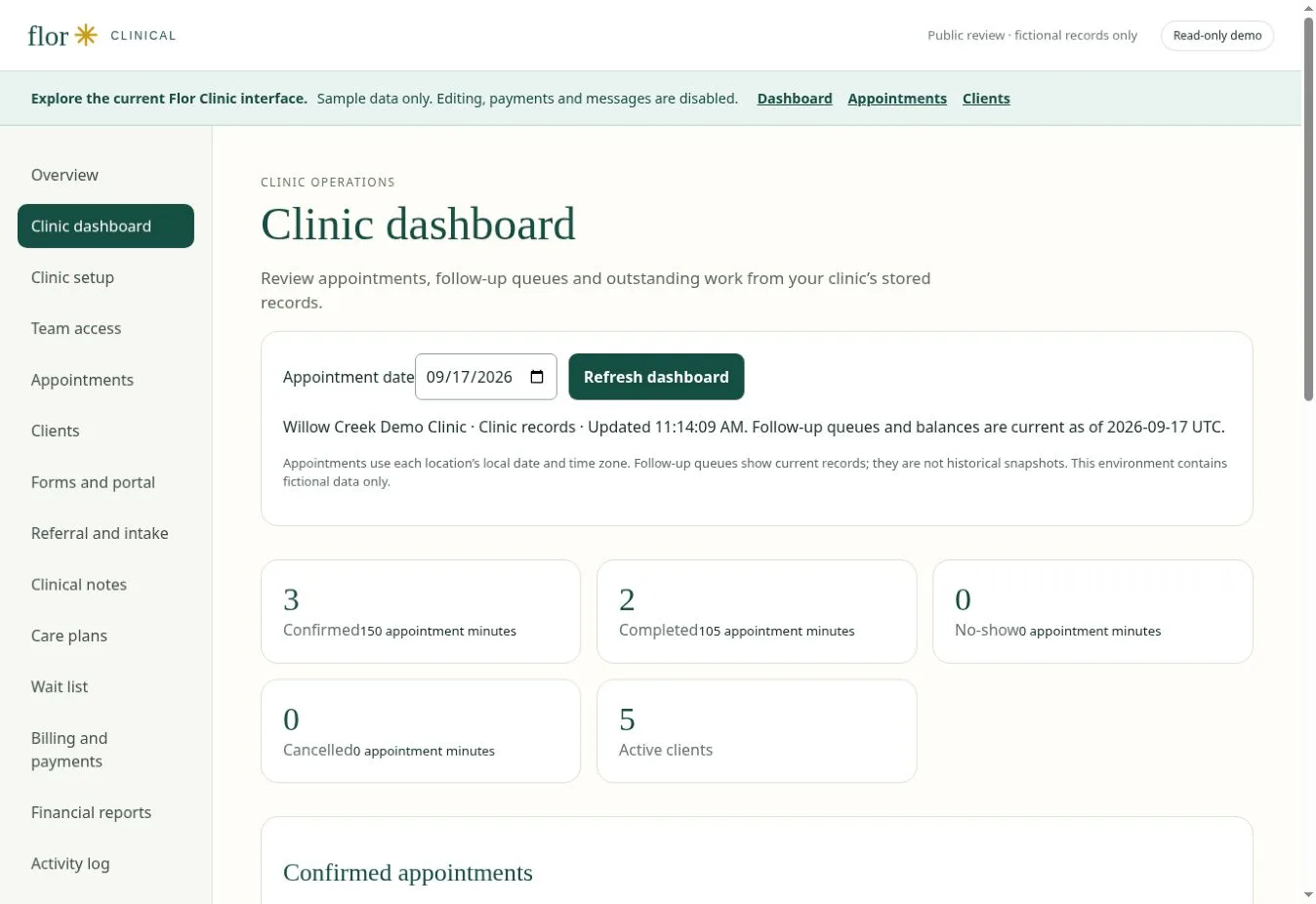
Clinic dashboard
What needs attention
Sample task list
Counts describe only this fictional walkthrough. Task changes reset on reload.
- Enquiry & intakeIdentify the service, recipient and forms that need review.
- Schedule the visitMatch practitioner availability, room and appointment type.
- Document careReview notes, care plans and the next clinical task.
- Invoice & reconcileCheck charges, receipts and balances in CAD.
- Follow upTrack the administrative conversation and assigned forms.
- Review the practiceUse agreed definitions to assess workload and outstanding work.
Evaluation map, not a guarantee of feature availability. Confirm your required workflow in a guided demonstration.
From hello to follow-up
Follow the clinic workflow.
A welcoming beginning
A clear clinic website, useful service information and a considered appointment journey.
Explore ↗02A clearer clinic day
A shared view of appointments and the work your team needs to move forward.
Explore ↗03Continuity after the visit
Documentation, payment and follow-up workflows evaluated against your practice’s needs.
Explore ↗